

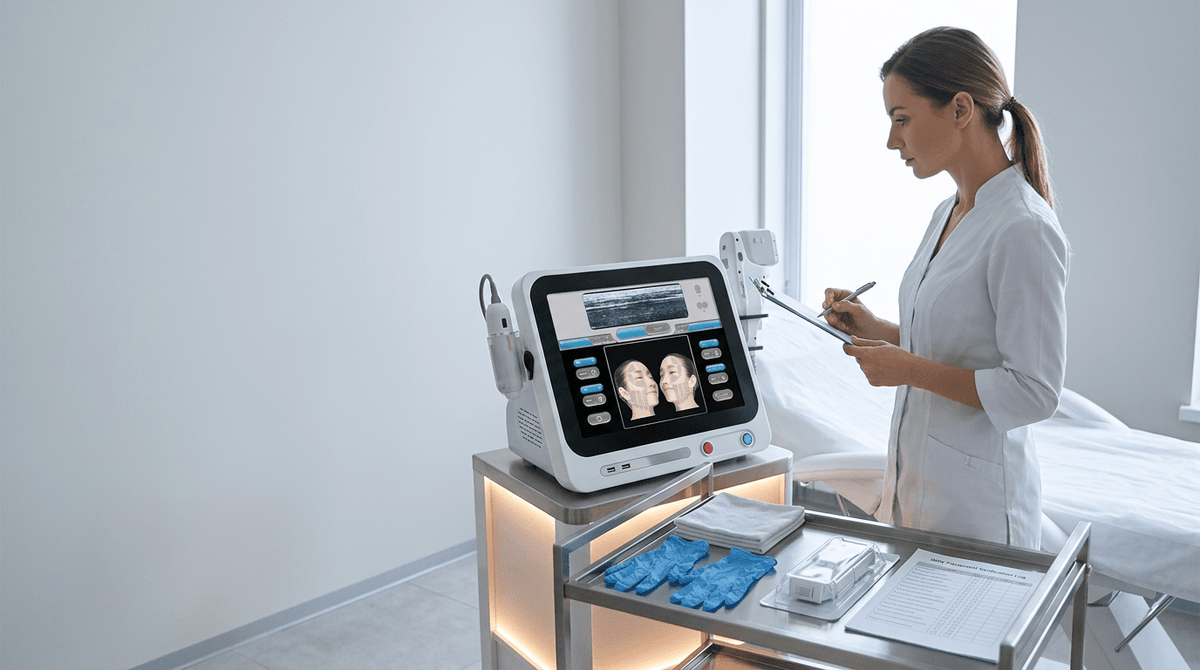
HIFU Machine Maintenance Checklist: Handpieces, Cartridges, Cooling and Error Prevention
HIFU maintenance has three layers: operator checks before and after use, clinic review of logs and consumables, and model-specific preventive service by an authorized provider. The manual or IFU and warranty determine allowed cleaning agents, service intervals and operator-serviceable tasks. Stop use and escalate when there is smoke, sparking, liquid inside connectors, exposed wiring, uncontrolled firing, repeated thermal shutdown, damaged treatment surfaces or unresolved communication faults.
Quick answer: What maintenance does a HIFU machine need?
Before use, inspect power, casing, handpiece, cable, cartridge recognition, contacts, vents and error status. After each treatment, remove gel using the approved method, keep contacts dry, inspect for damage and reconcile shot records. Review fault trends and spare stock on a clinic-defined schedule; follow the manufacturer's written interval for diagnostics, electrical safety and output verification.
Review the LEFIS HIFU machine collection to shortlist the platform, then request the exact model's maintenance manual, cartridge and part-number list, service schedule, warranty exclusions and support path in writing.
Quick HIFU Machine Maintenance Checklist
Before the First Treatment
- Check casing and power cable; inspect emergency controls and test them only as the manual specifies
- Inspect the handpiece face, cable, and strain relief
- Confirm the correct cartridge is installed and recognized
- Check cartridge contacts for gel, moisture, or damage
- Verify vents are clear and airflow is unobstructed
- Review the shot counter and remaining cartridge life
- Start the system and note any error messages
- Confirm the treatment preset and operator login
- Make sure approved coupling gel and cleaning products are available
- Record the check in the maintenance log
After Each Treatment
- Remove gel before it dries
- Clean the cartridge face using the approved method
- Keep liquid away from electrical contacts
- Inspect the cartridge for chips, cracks, or loose parts
- Coil the handpiece cable without sharp bends
- Update the shot count and treatment record
- Report unusual heat, noise, drag, or error codes
Does a HIFU Machine Require Regular Maintenance?
Yes. HIFU systems combine electronic controls, ultrasound transducers, replaceable cartridges, cables, cooling components, and software records. Each part affects whether the device starts, communicates with the handpiece, and delivers treatments consistently.
Three types of HIFU maintenance
|
MAINTENANCE TYPE |
PURPOSE |
TYPICAL RESPONSIBILITY |
|
Operator care |
Cleaning, inspection, logging |
Trained clinic staff |
|
Preventive maintenance |
Diagnostics, safety tests, performance checks |
Technician or approved provider |
|
Corrective repair |
Replacing failed internal components |
Manufacturer or authorized engineer |
The clinic should not invent universal service intervals. The manufacturer's manual, warranty conditions, and local requirements take priority.
Operator Maintenance vs Technician Service
Tasks an operator can usually perform
Exterior cleaning, cartridge-face cleaning, checking cables and connectors, inspecting vents, reviewing shot counters, exporting error records, checking consumable stock, and storing cartridges correctly.
Tasks that usually need technical support
Opening the main housing, repairing a power supply, replacing cooling pumps or internal fans, testing electrical earth continuity, updating restricted firmware, replacing internal boards, measuring acoustic output, or recalibrating treatment energy. LEFIS's HIFU training and after-sales support covers remote and onsite technical assistance, warranty protection, and spare-parts and maintenance support.
Why unauthorized repair creates risk
Opening sealed components may create an electrical hazard, damage calibration, erase diagnostic evidence, void warranty coverage, and make later troubleshooting harder. Even a successful ad-hoc repair can weaken the service record used to support future warranty claims.
Daily Pre-Opening HIFU Machine Checklist
A short pre-opening sequence catches most avoidable interruptions before the first client.
1. Inspect the treatment room
Check for stable room temperature, dry floor, adequate clearance around vents, no direct heat source near the machine, no loose liquids above the console, and a secure electrical outlet.
2. Check the main unit
Look for cracks, loose covers, unusual odour, visible dust near air inlets, damaged display, and loose wheels or brakes on a mobile unit.
3. Inspect the power cable
Confirm that the plug is not bent, insulation is intact, the cable is not trapped beneath the machine, and an extension lead is not being used unless permitted by the manual.
4. Start the machine and watch the boot sequence
Record delayed startup, unusual fan noise, frozen screen, missing cartridge notification, communication errors, or temperature warnings — even if the machine appears to recover.
5. Confirm date, time, and operator profile
Accurate system time improves treatment records, error-log review, shot-counter auditing, and support diagnosis when a fault requires investigation.
Handpiece Inspection Checklist
The handpiece is the operator's main physical connection to the system. Inspect it before the first client and after any drop or impact.
Handpiece housing
Check for cracks, loose seams, movement around cartridge locking points, worn buttons, damaged labels, and sharp edges.
Cable and strain relief
Inspect the section where the cable enters the handpiece — repeated bending weakens internal conductors. Look for kinks, flattening, exposed insulation, heat marks, or intermittent screen connection when the cable moves. Do not repeatedly flex a damaged cable to "test" it. Quarantine the handpiece instead.
Trigger and treatment controls
Confirm buttons return normally, no control sticks, the trigger does not activate unexpectedly, and the emergency stop or foot control works as specified.
Handpiece temperature
A handpiece may become warm during use, but unusual or rapidly increasing heat is a warning. Stop using it when the temperature warning repeats, the casing becomes unusually hot, the machine shuts down, or performance changes as the handpiece warms.
HIFU Cartridge Maintenance Checklist
Cartridge handling is a major source of preventable error. For LEFIS platforms, review the C3-L and C6 product pages to identify the model, then request the exact cartridge IFU, cleaning method, compatible part numbers and storage limits in writing. Model labels alone are not maintenance instructions.
Cartridge face
Before use, inspect for cracks, chips, scratches, cloudiness, loose seals, dried gel, or residue around the treatment window. Do not use a cartridge with visible physical damage until the manufacturer confirms it is safe.
Cartridge contacts
Electrical or communication contacts should remain clean, dry, free of gel, free of corrosion, and straight. Gel contamination can interfere with the physical connection even when the cartridge appears to lock into place.
Cartridge locking mechanism
Check that the cartridge seats fully, does not wobble, is recognized by the system, displays the expected depth, and shows the correct remaining shot count.
Shot counter records
Compare the device counter against the clinic's usage log. Record cartridge serial number, depth, opening shot count, closing shot count, treatments performed, errors, and replacement date. This makes it easier to identify abnormal shot loss or an early-failing cartridge.
Rated shots vs usable shots
|
RATED SHOT LIFE |
USABLE SHOT LIFE |
|
Supplier's stated maximum |
Shots actually delivered before replacement |
|
Used for quotation comparisons |
Used for clinic costing |
|
Assumes ideal handling |
Reflects real errors, damage, remaining reserve |
|
Does not prove stable output |
Reviewed with service and performance records |
Cartridge storage
Store cartridges in their protective holder, away from direct sunlight, without cable pressure, at the manual's approved conditions, with contacts protected from moisture and gel. Cartridge designs differ — do not assume every HIFU cartridge must be manually filled with water. Follow the specific model instructions.
Coupling Gel Handling and Machine Cleaning

Gel contamination is not the same problem as machine cleaning, but the two are closely related. Both determine whether cartridge contacts, seams, and treatment surfaces remain functional.
Fresh approved gel vs dried or contaminated gel
|
FRESH APPROVED GEL |
DRIED OR CONTAMINATED GEL |
|
Supports acoustic coupling |
Interferes with surface contact |
|
Wipes away easily |
Hardens around seams |
|
Reduces treatment drag |
May scratch surfaces during removal |
|
Used from a clean dispenser |
May introduce dirt or fibres |
Excess gel around the cartridge
Too much gel may run into cartridge joints, coat electrical contacts, make the handpiece difficult to hold, attract dust, or dry inside seams. Remove gel promptly using the method permitted by the manual.
Cleaning vs disinfection
|
CLEANING |
DISINFECTION |
|
Removes gel, dirt, residue |
Reduces microorganisms |
|
Usually comes first |
Performed after cleaning when required |
|
Uses approved wiping method |
Uses compatible disinfectant and contact time |
|
Does not automatically disinfect |
Does not work well through heavy residue |
Approved products only
Do not assume any alcohol wipe is safe. An unsuitable chemical may damage acrylic display panels, cartridge windows, seals, adhesives, printed labels, or handpiece coatings. Do not immerse or autoclave any HIFU component unless the manual explicitly approves it.
Areas that need routine cleaning vs areas that must stay dry
|
CLEAN ROUTINELY |
KEEP DRY |
|
Touchscreen |
Cartridge contacts |
|
Handpiece body |
Connectors |
|
Cartridge face |
Power sockets |
|
Treatment bed controls, footswitch, handles |
Ventilation openings, internal seams |
Cooling and Ventilation Maintenance

Cooling maintenance depends on whether the machine uses air or liquid cooling. Do not apply a single procedure to both designs.
Air-cooled systems
Check intake vents, exhaust vents, fan sound, dust accumulation, clearance from walls, and treatment-room airflow.
Liquid-cooled systems
Only perform tasks permitted by the manufacturer: checking reservoir level, inspecting visible tubing, checking for leaks, watching temperature indicators, and confirming pump operation. Do not open a sealed cooling loop or add generic coolant.
Blocked ventilation vs normal airflow
|
NORMAL CONDITION |
WARNING CONDITION |
|
Consistent fan sound |
Grinding, pulsing, or no fan sound |
|
Warm exhaust air |
Very hot casing |
|
Stable treatment cycle |
Repeated thermal shutdown |
|
Clear vents |
Dust, fabric, or wall blocking airflow |
|
No cooling alert |
Recurring temperature code |
Why heat creates multiple errors
Excess heat contributes to treatment interruption, automatic shutdown, unstable electronics, shortened component life, and software communication errors. Cooling failure does not automatically change ultrasound output — that requires diagnostics to confirm.
Software, Presets, Shot-Counter Records, and Error Logs
Check software before the clinic opens
Verify correct language, date, expected treatment depths, operator login, saved presets, cartridge recognition, and shot balance. The HIFU energy parameter guide covers how depth, frequency, and pulse settings should present on a functioning HIFU interface.
Manufacturer update vs unverified software
|
MANUFACTURER-SUPPLIED UPDATE |
UNVERIFIED SOFTWARE |
|
Comes through approved support |
May contain unknown changes |
|
Includes version notes |
May alter presets or counters |
|
Supports warranty traceability |
May void support |
|
Can be logged |
May erase diagnostic history |
Do not reset shot counters without authorization
A reset interferes with consumable tracking, maintenance history, warranty evidence, and treatment costing. Any counter change should be authorized by the manufacturer and recorded.
Five-step error response workflow
Stop, secure, record, check, escalate. End the treatment when an error affects cartridge recognition, handpiece communication, temperature control, unexpected firing, or power stability. Place the device in a safe state, then capture the full error code, screen photo, date and time, cartridge depth and serial, remaining shots, and any unusual heat, sound, or smell. Only perform operator-level checks listed in the manual — reseating an undamaged cartridge, confirming airflow, or restarting via the approved sequence. Send full evidence to technical support if the code returns.
Common HIFU Machine Errors and What They May Mean

Error codes vary by model. The examples below show safe operator-level responses; they do not decode a model-specific error or replace the manual.
ERROR SYMPTOM VS SAFE FIRST ACTION
|
SYMPTOM |
SAFE FIRST CHECKS |
STOP USING WHEN |
|
Cartridge not recognized |
Confirm correct seating, clean and dry contacts |
Pins are damaged or error repeats |
|
Handpiece disconnects |
Inspect cable and connector |
Cable movement causes repeated failure |
|
Temperature warning |
Check vents and room clearance |
Warning returns after cooling |
|
Frozen touchscreen |
Save error details, use approved restart |
Repeated crashes affect treatment |
|
Unexplained performance change |
Stop; record setup, cartridge and code |
Change repeats or cannot be explained |
|
Burning smell or smoke |
Power down and isolate |
Immediately — do not restart |
Do not bypass safety interlocks or continue treating after clearing an unexplained code. Escalate to authorized service and document the incident.
Build a Model-Specific HIFU Maintenance Schedule
Example only: align every frequency and task with the exact manual, local policy, use volume and warranty. “Weekly” and “monthly” are clinic review cadences, not universal technical-service intervals.
|
INTERVAL |
RECOMMENDED TASKS |
RESPONSIBLE |
|
Before opening |
Visual inspection, startup check, vents, cartridge recognition, error review |
Trained operator |
|
After every client |
Remove gel, clean approved surfaces, inspect cartridge, update usage |
Trained operator |
|
End of day |
Power-down sequence, cable storage, shot reconciliation, issue log |
Operator or supervisor |
|
Weekly |
Inspect cables, connectors, holders, filters, recurring errors |
Technical lead |
|
Monthly |
Review usage, cartridge failures, software versions, downtime, spare parts |
Technical manager |
|
Manufacturer schedule |
Diagnostics, output verification, electrical safety, internal service |
Authorized technician |
Daily tasks prevent contamination
Daily work focuses on treatment readiness, cleanliness, obvious damage, and accurate records.
Weekly tasks find wear
Weekly inspection looks for patterns a single treatment may not reveal — cable strain-relief wear, dust accumulation, connector fatigue, or filter loading.
Monthly tasks find trends
Monthly review should identify trends in temperature warnings, cartridge life, cable faults, startup time, downtime and spare-parts availability. Compare like-for-like machine records before changing maintenance frequency; a protocol change can alter usage without indicating a hardware fault.
End-of-Day Shutdown and Storage Checklist
Shutdown affects the next day's readiness more than most operators realise.
End-of-day sequence
Finish the active treatment record, return the system to standby, complete the approved shutdown, remove cartridges if instructed, clean and dry treatment surfaces, place cartridges in holders, coil cables loosely, keep handpieces off the floor, clear vents, lock the machine if required, record remaining shots, and report unresolved errors.
Loose coil vs tight coil
|
LOOSE CABLE COIL |
TIGHT CABLE COIL |
|
Reduces strain |
Damages internal conductors |
|
Preserves strain relief |
Creates kinks |
|
Easier to inspect |
Hides wear |
|
Supports longer cable life |
Causes intermittent faults |
Maintenance Mistakes That Cause Avoidable Errors
Avoid these maintenance practices and document any resulting event:
- Letting gel dry on the cartridge
- Allowing gel onto electrical contacts
- Forcing an incompatible cartridge
- Pulling the handpiece by its cable
- Wrapping the cable tightly
- Blocking vents with towels or walls
- Using unapproved disinfectant
- Spraying liquid directly onto the machine
- Ignoring repeated minor warnings
- Resetting counters without authorization
- Installing unofficial software
- Continuing after unusual heat or smell
- Opening sealed housings
- Failing to log cartridge serial numbers
- Waiting until the last cartridge is exhausted before reordering
When to Stop Using the HIFU Machine Immediately
Stop treatment and remove the machine from service when there is: smoke, burning odour, visible sparking, liquid inside a connector, cracked treatment surface, exposed wiring, uncontrolled firing, failed emergency control, repeated thermal shutdown, damaged cartridge pins, unexplained power loss, unusual internal noise, or handpiece communication failure during treatment.
Restarting repeatedly can erase useful evidence or worsen the fault. Isolate the machine, capture screen photographs and error codes, and contact technical support with the incident record.
When to Contact the Manufacturer
Contact support when a code returns after approved checks, two cartridges show the same error, the machine overheats, a handpiece disconnects, shot counts change unexpectedly, presets disappear, software freezes repeatedly, replacement parts are needed, or scheduled service is due.
What to send technical support
Send the machine model and serial number, software version, handpiece and cartridge identifiers, full error code, photos or video, treatment stage, maintenance history, and destination for parts. Use the LEFIS training, warranty and after-sales support page to understand available support channels, then submit a model-specific case through the contact page.
Preventive Maintenance vs Reactive Repair
|
PREVENTIVE MAINTENANCE |
REACTIVE REPAIR |
|
Planned around clinic hours |
Begins after a failure |
|
Finds wear early |
Responds after downtime starts |
|
Supports complete records |
Often lacks prior evidence |
|
Allows parts to be ordered |
Requires urgent shipping |
|
Reduces cancelled appointments |
Disrupts several clinic days |
|
Protects warranty documentation |
Unauthorized fixes weaken claims |
Preventive maintenance does not guarantee a component will never fail, but it increases the chance the clinic detects a change before it interrupts a booked treatment.
Maintenance Records Every Clinic Should Keep

Six linked logs create a practical maintenance record:
- Daily readiness log: date, operator, startup status, errors, vents, handpiece, cartridge.
- Cleaning log: treatment room, surface, product used, operator, time.
- Cartridge register: depth, serial, received date, first-use date, shot count, fault history, replacement reason.
- Error log: code, symptom, response, support case, resolution.
- Service log: technician, date, work completed, parts replaced, software version, next due date.
- Training log: operator, trainer, date, model, competency topics. Distinguish machine readiness from patient readiness — patient-selection considerations belong in the separate HIFU candidate and contraindication guide.
HIFU Machine Maintenance by Responsibility
|
OPERATOR |
TECHNICAL MANAGER |
MANUFACTURER OR ENGINEER |
|
Pre-opening checks |
Monthly trend review |
Internal diagnostics |
|
Cleaning |
Spare-parts planning |
Electrical safety testing |
|
Cartridge inspection |
Error escalation |
Cooling-system repair |
|
Shot logging |
Training records |
Output verification |
|
Basic approved restart |
Service scheduling |
Firmware or board replacement |
This split prevents tasks from falling between roles and clarifies which decisions require external support.
Final HIFU Maintenance Checklist
Before approving the machine for another treatment, confirm:
- the machine starts without unresolved errors
- the handpiece and cable are intact
- the correct cartridge is recognized
- cartridge contacts are clean and dry
- the treatment face is undamaged
- vents and cooling paths are clear
- coupling gel has not entered seams or contacts
- cleaning products used were approved
- the shot counter matches clinic records
- software and presets are correct
- repeated errors have been escalated
- service and spare-parts plans are current
Request the Maintenance Manual, Spare-Parts List, and Support Plan
Good maintenance is a repeatable workflow, not a last-minute response. Daily checks protect the next treatment; cartridge and handpiece inspection reduce preventable interruptions; correct gel handling protects contacts and treatment surfaces; open vents support stable operating temperature; shot counters and error logs create traceability; weekly and monthly reviews reveal patterns; internal faults belong with approved technical support.
Review the LEFIS HIFU range, then use the contact page to request the exact model's operator manual, maintenance schedule, cartridge and part-number list, operator-serviceable tasks, warranty exclusions and technical support process before purchase or commissioning.
FAQs
Does HIFU require maintenance?
Yes. A HIFU system combines electronics, transducers, cartridges, cables, cooling and software. Routine operator care and model-specific preventive service help detect contamination, visible damage, cooling warnings and record inconsistencies before they interrupt appointments. Maintenance does not prove acoustic output; only authorized testing can do that.
How do I maintain a HIFU machine?
Follow the model-specific manual. In practice this means pre-opening inspection, cleaning after every client, daily cartridge and handpiece checks, weekly cable and ventilation inspection, monthly usage review, and manufacturer-scheduled service.
How often should a HIFU machine be serviced?
There is no universal annual service interval. Follow the exact model's manual, warranty and local requirements. Set clinic review frequencies according to use volume and fault trends, but do not extend the manufacturer's maximum interval or perform technical checks that are not operator-serviceable.
How do you clean a HIFU handpiece?
Use only manufacturer-approved products. Wipe the handpiece body and cartridge face with an approved solution and lint-free cloth. Keep liquid away from electrical contacts, connectors, and vents. Never immerse or autoclave unless the manual explicitly permits it.
Which maintenance mistakes cause avoidable HIFU faults?
Frequent preventable problems include dried gel, contaminated contacts, blocked vents, tight cable coiling, unapproved cleaning products and unlogged recurring error codes. The exact failure pattern varies by model and clinic; use the maintenance log to identify local causes rather than naming one universal “most common” mistake.
How do I know whether a HIFU cartridge is damaged?
Inspect for cracks, chips, scratches, cloudiness, loose seals, dried gel or bent contacts. Quarantine the cartridge when the device does not recognize it, the shot counter changes unexpectedly, visible damage appears, or a manufacturer-defined self-test or error indicates a fault. Do not use subjective treatment sensation as the only diagnosis.
Why does a HIFU machine overheat?
Common causes include blocked vents, dust buildup, heavy continuous use, failed cooling fan, hot treatment room, or sensor fault. Persistent overheating warrants a technical check — do not continue through repeated temperature warnings.
What should I do when a HIFU error code appears?
Stop treatment, secure the machine, record the full error code with a screen photo, note the cartridge and treatment stage, and only perform operator-level checks listed in the manual. If the code returns, send the full record to authorized technical support.
Can I repair a HIFU machine myself?
Only tasks listed as operator-serviceable in the manual — external cleaning, cartridge changes, filter cleaning where permitted, and cable inspection. Internal repairs need certified technicians. Unauthorized repair may void warranty and damage calibration.
What spare parts should a HIFU clinic keep?
Keep only items listed by the manufacturer for the exact model and permitted for clinic replacement. Typical stock may include approved gel and cleaning products, model-compatible cartridges, and supplier-approved external accessories. Power cords, foot controls, filters or internal parts should be stocked or replaced only when the manual, warranty and local electrical policy allow it.
Sources
- Medical Device Databases · U.S. Food & Drug Administration
- Medical Device Reporting Requirements · U.S. Food & Drug Administration
- Guideline for Disinfection and Sterilization in Healthcare Facilities · U.S. Centers for Disease Control and Prevention
- Guidelines for Cleaning and Preparing External- and Internal-Use Ultrasound Transducers · American Institute of Ultrasound in Medicine
- ISO 13485 — Medical Devices Quality Management Systems · International Organization for Standardization
- General Controls for Medical Devices · U.S. Food & Drug Administration
- Medical Devices Sector · European Commission
- Medical Electrical Equipment Standards · International Electrotechnical Commission


Looking for something else?

Do Men Get Cellulite? Causes Differences & What to Know
LEARN MORE
Does Radio Frequency Skin Tightening Work? Results & How It Works
LEARN MORE
Do You Shave Before Laser Hair Removal? Prep Tips & Why It Matters
LEARN MORE
How to Get Rid of Age Spots: Treatments. Natural Remedies & Prevention
LEARN MORELooking for something else?
How to Heal Ingrown Hair: Causes. Treatments & Healing Time
LEARN MORE
How to Get Rid of Freckles: Effective Treatments & Natural Tips
LEARN MORE
Top 10 Picosecond Laser Machine Manufacturers for Clinics in 2026
LEARN MORE

Further reading

Tattoo Removal Laser Machine Cost and Ownership Guide

CO2 Laser Treatment Room Setup Checklist

Aesthetic Machine Factory Acceptance Test Before Shipment


